Pen Testing Third-Party Experimentation Scripts After CVE-2026-132224: Adding Client-Side Risk to Scope
Add third-party JavaScript to your pen test scope after CVE-2026-132224: vendor account reviews, strict CSP testing and checkout exclusions.
- Written by
- Engr Mejba Ahmed
- Published
- Reading time
- 10 min

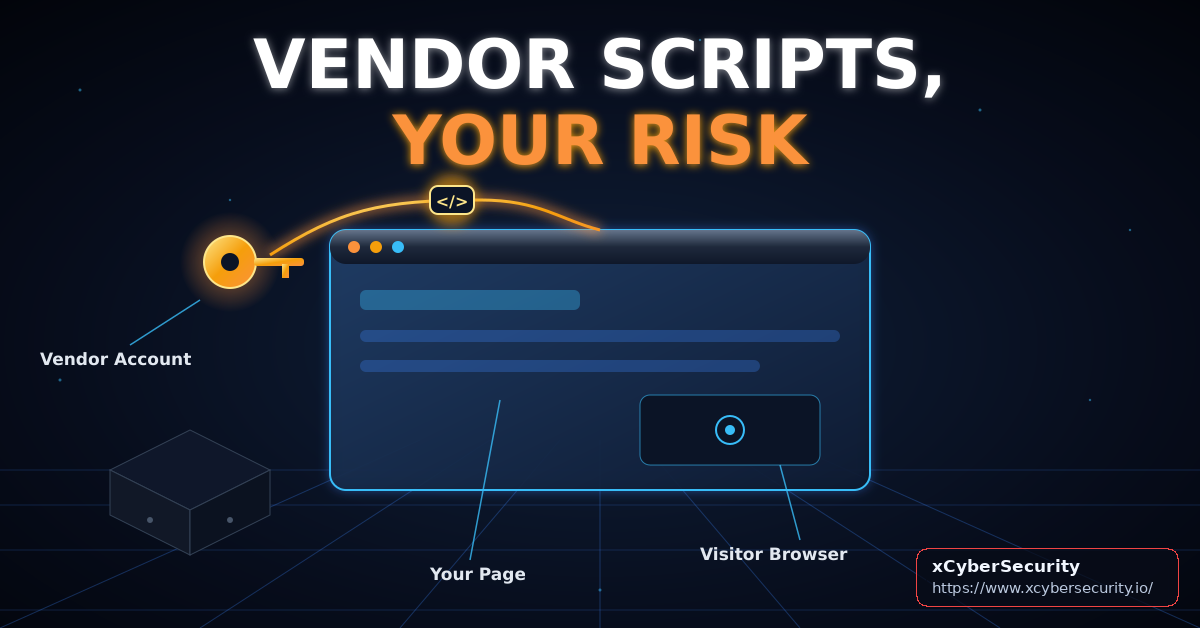
If your website loads an A/B testing or tag-manager script, an attacker who gains control of that vendor account can change the code running in your visitors' browsers without ever touching your servers. After reading this, you can add that client-side risk to a penetration test scope with a vendor account checklist, a Content Security Policy (CSP) test plan, and checks that keep experimentation scripts off checkout and login pages.
What CVE-2026-132224 Means for Sites Running Experimentation Scripts
CISA added CVE-2026-132224 to its Known Exploited Vulnerabilities catalog entry on 2026-11-24, with a due date of 2026-11-27. The entry states that "Optimizely Web Experimentation contains an external control of critical state data vulnerability in its account signup flow that could allow an attacker to impersonate existing customer users and modify Project JavaScript." It adds that "successful exploitation can result in attacker-controlled JavaScript being distributed through Optimizely-hosted assets and executed in browsers visiting affected customer websites." CISA lists the related weakness as CWE-642 and marks use in ransomware campaigns as Unknown. The entry also states that forensic triage is required under BOD 26-04.
MITRE defines CWE-642 as a product that "stores security-critical state information about its users, or the product itself, in a location that is accessible to unauthorized actors." In this case the weak point sits in the vendor's signup flow. The customer's website is only where the impact appears.
The OWASP Third Party JavaScript Management Cheat Sheet explains why this pattern matters. It calls "a compromise of the third party JavaScript server, and the injection of malicious JavaScript into the original tag JavaScript" the single greatest risk. Third-party code that runs on your page gets "the exact same privileges that were granted to the user (similar to XSS attacks)." Changes also take effect at once: "as soon as any JavaScript files are changed on the vendor, or modified on the aggregator, the next call for them from any browser will get the changed JavaScript."
For remediation, follow the KEV required action. Apply mitigations according to the vendor's instructions and follow the applicable BOD 26-04 guidance for cloud services. If mitigations are unavailable, discontinue use of the product. The vendor incident report and status page are listed in the entry's Additional Notes. Check them for affected scope and customer actions before you change anything.
For another exploited-vulnerability case, see Critical Citrix NetScaler Vulnerabilities Exploited in the Wild: CVE-2026-88771 and CVE-2026-88772.
Scope Item 1: Inventory Tag and Experimentation Accounts and Who Can Publish
A typical web application pen test covers your origin servers, APIs and authentication. Code delivered from a vendor's CDN and edited in a vendor's console often falls outside that boundary. OWASP's guidance is direct: "Restrict tag-manager publishing access and review changes as application code." The cheat sheet also warns that "a data layer is not a sandbox," because tag-manager containers "can execute custom JavaScript and HTML tags in the browser, so remotely managed event handlers remain part of the page's code trust boundary."
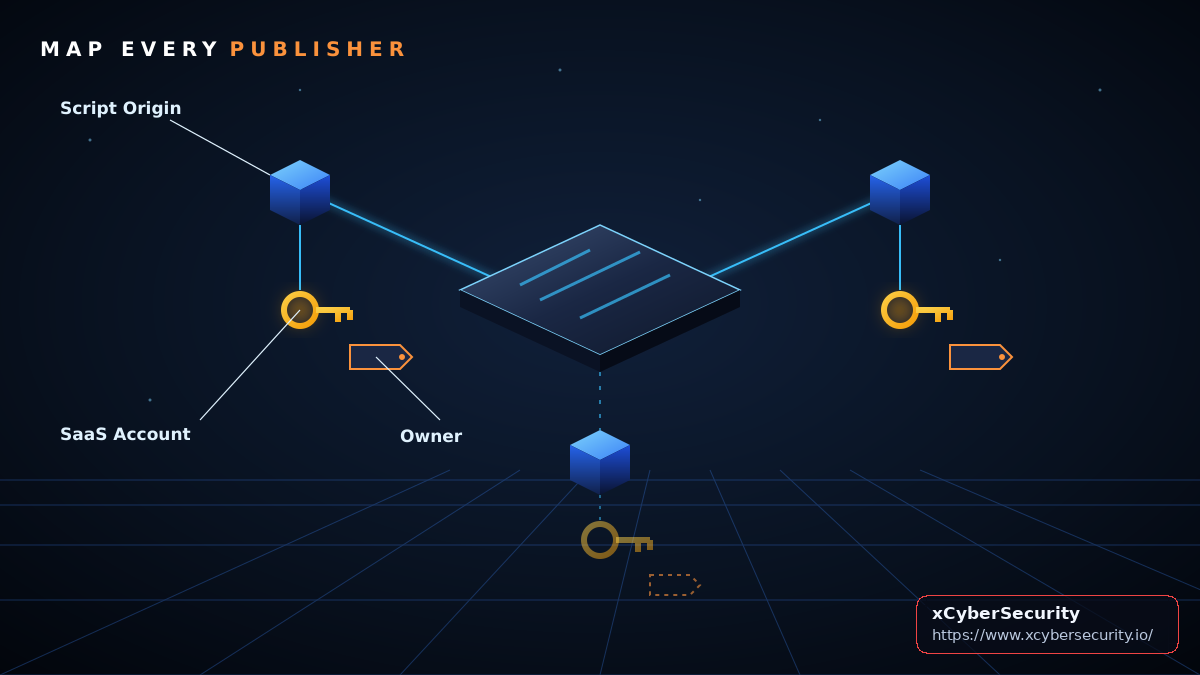
Our recommendation is to treat every SaaS account that can publish JavaScript to your pages as a production deployment path, and to put it in scope on that basis. Ask your tester to:
- enumerate every third-party script origin loaded on each page template, including scripts injected at runtime
- map each origin to the SaaS account that controls it and to the internal owner of that account
- record who holds publish rights, whether MFA is enforced for each publisher, and whether change history can be exported
- confirm which pages are meant to exclude the script, and check that they actually do
The output can be a short entry per vendor that the tester fills in and you keep up to date:
# Third-party script scope entry (one per vendor)
vendor: web-experimentation-platform
script_origin: "<vendor host as served on your pages>"
pages_loaded_on:
  - /
  - /product/*
excluded_pages:
  - /checkout/*
  - /login
account_owner: "marketing-ops@example.com"
publishers:
  - name: "growth-team"
    role: "publisher"
    mfa_enforced: true
    last_access_review: "YYYY-MM-DD"
change_review:
  required: true
  reviewer: "web-security"
  history_exported: true
tester_access:
  console_read_only: true
  written_authorization: true
csp_mode: report-only
Each key maps to a test. excluded_pages drives the sensitive-page checks described later. publishers and mfa_enforced drive the access review. csp_mode records whether the page policy is still being tuned or is enforced.
There is a tradeoff here. Reviewing roles and change history usually requires read access to the vendor console. That access needs written authorization from the account owner and has to respect the vendor's terms. Testing the vendor's platform itself, such as its signup flow, is normally not something you can authorize. Keep the scope to your own configuration, your own accounts, and what your pages actually serve.
Scope Item 2: Test CSP as a Control and Know Its Limits
CSP is the main browser-side control you own, and a pen test should check how it is configured. MDN's Content Security Policy guide describes the recommended approach: "To control script loading as a mitigation against XSS, recommended practice is to use nonce- or hash- based fetch directives. This is called a strict CSP." MDN warns that allowlist CSPs "often policies inadvertently whitelist unsafe domains," and that they are hard to maintain when scripts are outside your control.
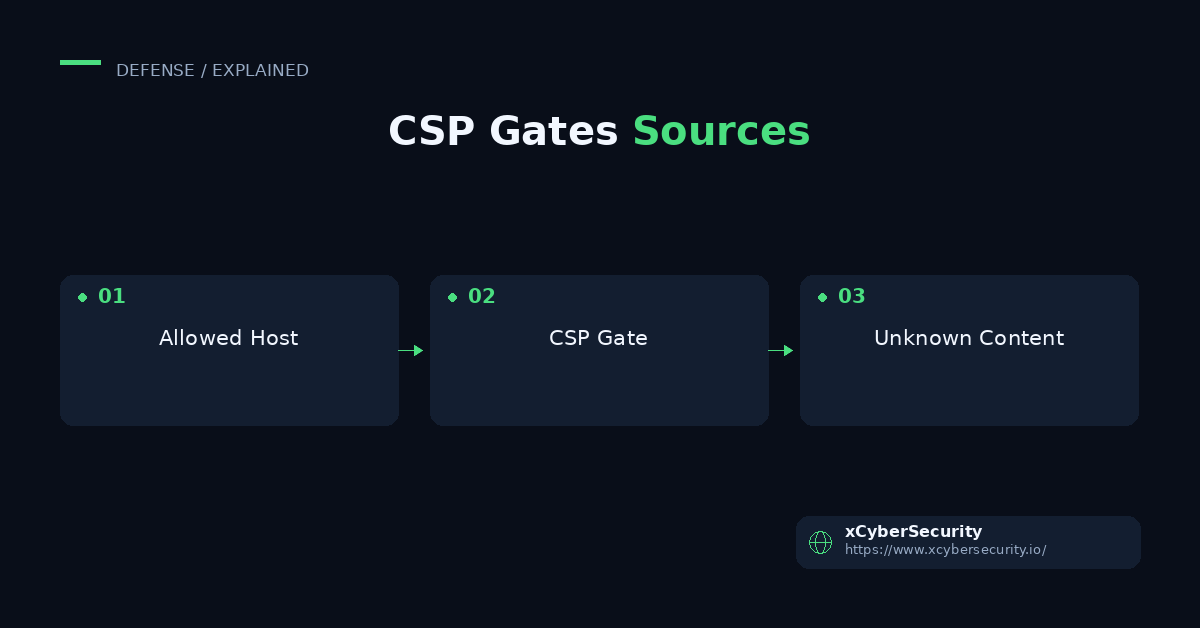
The following is a design inference rather than vendor documentation. CSP decides which sources may load. It does not inspect what those sources deliver. If your policy allows a vendor's host, or puts a nonce on the vendor's script tag, the browser will run whatever that host serves, including injected code. Against a compromised vendor account, the most useful thing CSP does is limit which pages can load that vendor at all.
MDN also covers 'strict-dynamic', which lets a trusted script load further scripts. This is convenient for tag managers and experimentation snippets that inject other scripts. MDN cautions that it "does make your CSP less secure," because scripts created from potential XSS sources are then not protected. If the vendor snippet relies on this behaviour, ask the tester to record it as an explicit risk decision. Whether a particular vendor snippet works under a nonce-based CSP is something the tester should verify on your site.
To roll out safely, deploy the policy in report-only mode first. MDN explains that a report-only policy "is not enforced, but any violations are sent to the reporting endpoint specified in the policy." It cannot be delivered in a <meta> element, so it must be sent as a response header. When both an enforced header and a report-only header are present, the browser honours both. You can test a stricter revision while the current policy stays enforced. MDN recommends the Reporting API for violation reports. A checkout response in report-only mode would look like this:
Reporting-Endpoints: csp-endpoint="https://example.com/csp-reports"
Content-Security-Policy-Report-Only: script-src 'nonce-{RANDOM}'; object-src 'none'; base-uri 'none'; report-to csp-endpoint
{RANDOM} must be a fresh, unpredictable value generated for each response, and it must match the nonce attribute on your own script tags. Use this decision rule:
- Collect reports from checkout and login until normal traffic produces no unexpected script sources.
- Fix or remove every source you did not intend to load on those pages.
- Move the same policy to the enforcing
Content-Security-Policyheader.
Ask the tester to confirm that the header appears on every sensitive response, including error and redirect pages. They should also confirm that nonces change between responses and that every script-src directive carries the nonce, with no 'unsafe-inline' relaxation in any policy that lacks a nonce or hash.
Scope Item 3: Keep Experimentation Scripts Off Checkout and Login, and Watch for Changes
We recommend that experimentation and tag-manager scripts should not load on pages that handle credentials or payment data. The test is simple to state. The tester requests each URL listed in excluded_pages, inspects the HTML actually served and any scripts injected at runtime, and confirms that no vendor origin appears. The CSP violation reports from the previous section then serve as ongoing evidence that the exclusion still holds after release.
Subresource Integrity (SRI) often comes up at this point. OWASP says SRI "will ensure that only the code that has been reviewed is executed," but notes that "in order for SRI to work, the vendor host needs CORS enabled." It also warns that "sometimes you can get secure but not working third-party code when the vendor decides to update it." Our inference is that SRI suits static, versioned vendor files. Experimentation code that your own teams edit in a console is designed to change, so a pinned hash would break on every legitimate change.
Where SRI does not fit, use change monitoring and governance. OWASP advises monitoring vendor JavaScript for changes "in regular way." In practice, take a scheduled snapshot of the script each vendor serves to your pages, compare it with the last approved version, and route any difference to the same reviewer listed under change_review. For vendors that do not need access to your page, OWASP describes placing vendor JavaScript in an iframe on a different domain, where it works as a "jail" without direct access to your page.
To give the report a common reference, ask the tester to map findings to the client-side testing material in the OWASP Web Security Testing Guide. The project page lists v4.2 as the current versioned release, with v5.0 in development.
The tradeoff is commercial. Excluding experimentation from checkout and login means you cannot A/B test those pages with the same tool. Some teams accept this. Others run tests on those flows through server-side changes that go through normal code review.
FAQ
Is my site affected if we use Optimizely Web Experimentation? Check the vendor incident report and status page listed in the notes of the CISA KEV entry. Then follow the required action: apply vendor mitigations, or discontinue use if mitigations are unavailable. The entry also flags forensic triage under BOD 26-04, so review Project JavaScript change history for edits you cannot attribute.
Will a CSP stop a compromised vendor script? Not on pages where the vendor is allowed to load. CSP controls sources, not content. Its practical value here is keeping the vendor off sensitive pages and reporting when that rule breaks.
Does SRI solve this? Only for static vendor files on hosts with CORS enabled. Frequently edited experimentation code will break a pinned hash, so change monitoring and publisher controls carry more of the load.
Will a standard pen test cover this automatically? Only if third-party scripts and the vendor accounts behind them are written into the scope. For background, see Find Vulnerabilities Before Hackers Do: OSCP-Certified Penetration Testing That Protects Your Business.
Putting Third-Party Script Risk Into Your Next Test Plan
Start with the inventory. Fill in one YAML entry for each vendor that serves JavaScript to your pages, and name a single owner for each account. In every tag and experimentation console, review who holds publish rights, remove the publishers who no longer need them, and enforce MFA where the console supports it. Deploy the report-only CSP on checkout and login, then promote it to enforcing once the reports show only the sources you intended. Set up scheduled comparisons of vendor script content and route any change to a named reviewer. Finally, give your tester the inventory and the list of excluded pages so that the next test checks what your visitors' browsers actually run, as well as what your servers send.
Want experts to review this for your organization? See Penetration Testing by xCyberSecurity.